


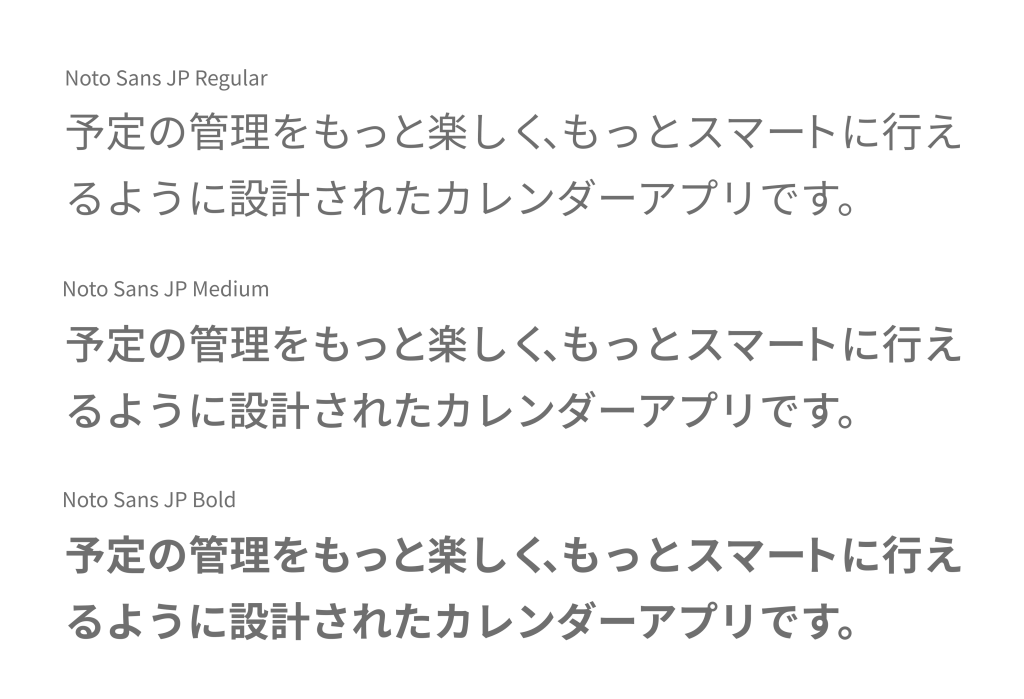
Both the calendar app “months” and the months website (this site) use the “Noto Sans JP” typeface.
Noto Sans JP is a Japanese typeface jointly developed by Adobe and Google. Adobe releases it as “Source Han Sans,” while Google releases it under the name “Noto Sans JP.” The typeface first appeared in 2014, and since then Noto Sans JP has become firmly established as one of the leading typefaces for Japanese user interfaces (UI), seeing widespread use.
The name “Noto” has an interesting origin. One theory traces it to the Latin word noto, meaning “to write,” “to mark,” or “to take notes.” Another origin is based on the concept of “No Tofu.” Here, “tofu” refers to the square placeholder symbol that appears when a font cannot display a given character. In other words, Noto Sans JP is designed to display the languages of the world, with the goal of eliminating as far as possible any situation in which “a character cannot be displayed.”
Why Noto Sans JP Is So Widely Used
There are several clear reasons why Noto Sans JP is favored by so many users, developers, and designers.
■ Exceptionally easy-to-use licensing
This font is released free of charge under the open “SIL Open Font License (OFL).” Under this license, it can be freely used, distributed, and modified for both personal and commercial purposes, and it can be used without issue in the UI design of websites and applications. It is also provided as a web font, and one of its appeals is how easily it can be implemented through services like Google Fonts.
■ A rich range of weights with variable font support
Noto Sans JP offers 10 levels of weight (thickness), from ultra-thin to ultra-bold, allowing you to choose the optimal weight to suit subtle nuances. Furthermore, it is available as a “variable font,” so weights can be freely adjusted on the user’s end. This makes it possible to maintain design consistency while enabling more flexible expression.
■ An overwhelming number of included characters
Noto Sans JP was created under the overarching philosophy of the Noto project: to support the languages of the world. For Japanese, it includes not only commonly used kanji but also a vast number of characters based on the JIS standard, so it can effortlessly display not just everyday text but also technical terms and proper nouns. It is fair to say that problems such as a kanji failing to display because it is not included in the font almost never occur.
■ A high degree of design refinement
The design of Noto Sans JP was led primarily by Ryoko Nishizuka, a type designer at Adobe. It is designed to combine the beauty and readability of Japanese, boasting a quality that can be used with confidence even in professional settings. Its angular, modern forms blend naturally into both print and digital media.
What Makes a Typeface Suited to UI
Above all, a typeface used in a user interface needs to be “easy to read.” This “readability” is in turn made up of the following three aspects.
■ Visibility
Whether characters register instantly when you look at the screen. In other words, whether you can recognize what is written at a glance.
■ Legibility
Whether the text as a whole is easy to read and easy to keep reading. Whether it holds up during long periods of use is also a key point.
■ Distinguishability
Whether characters with similar shapes (for example, “シ” and “ツ,” or “口” and “ロ”) can be told apart without confusion.
Noto Sans JP clears all of these criteria at a high level. That is why it is an outstanding choice of Japanese font for UI across a wide range of devices, including smartphones, tablets, and PCs.
Google Fonts : Noto Sans Japanese




