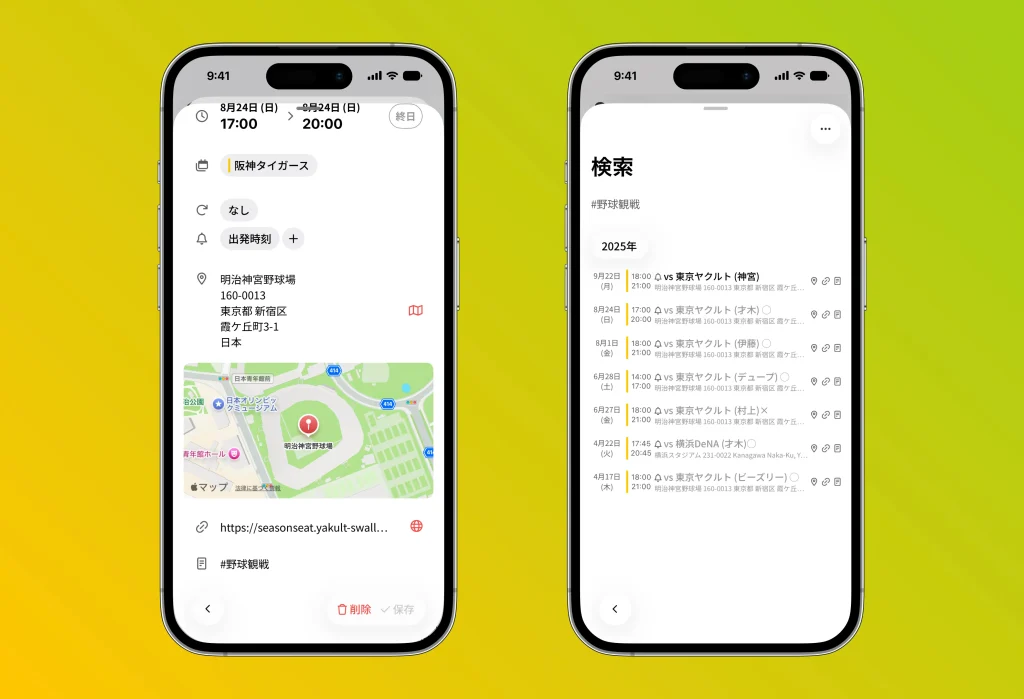
Add hashtags to the notes field of your events
By adding hashtags to the notes field of your calendar events, you can put the search feature to even better use.
For example, within the season schedule of the “Hanshin Tigers,” if you record “#BaseballGame” only on the games you actually attended, you can then narrow your search by that keyword and view a list of just the games you went to.
What’s more, this approach isn’t only about making schedule management more efficient—it’s also handy for using your calendar as a “memory book” to look back on past events, or as a “record” for organizing your own activity history.
By using different tags for each genre or purpose of your events, you’ll be able to quickly reach the information or memories you want to find later, and your everyday calendar will also work as a place for keeping records and reminiscing.