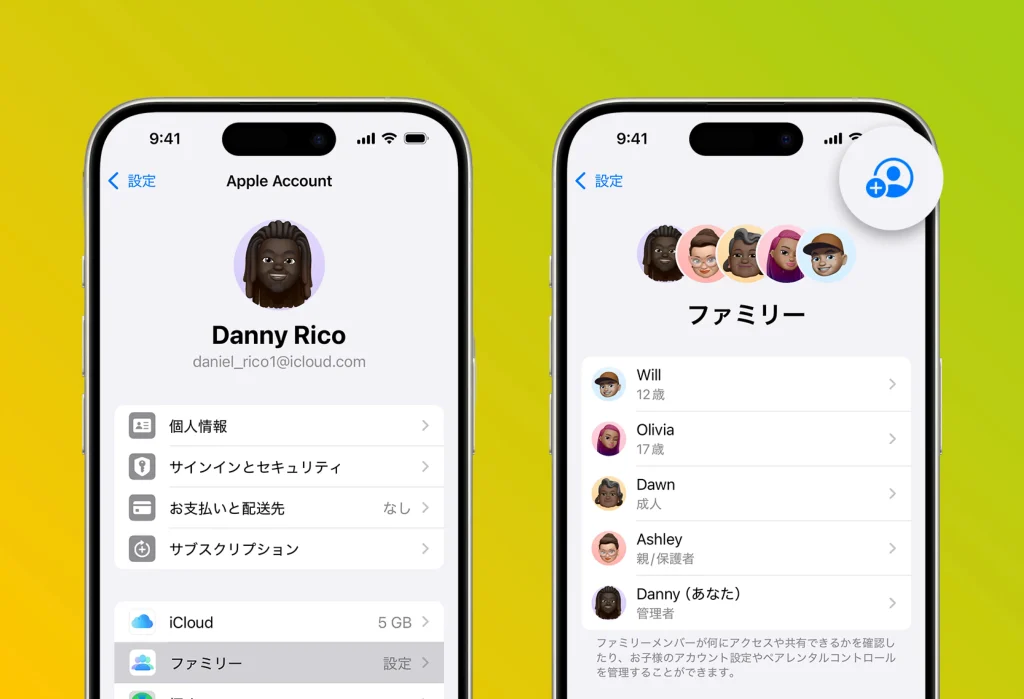
Apple’s “Family Sharing” feature is incredibly convenient for families who use Apple devices like the iPhone and iPad. With this feature, you can share purchased apps among family members.
How to set it up
1. Set up the organizer:
• An adult in the family becomes the organizer (Family Organizer) and starts the setup.
• Go to “Settings” → “Apple ID” → “Family Sharing” → “Set Up Your Family.”
2. Invite members:
• Add members and send invitations via iMessage or similar.
• Registration is complete once each member accepts the invitation.
3. Share purchases:
• By turning on “Share Purchases,” “months” becomes available to the whole family.