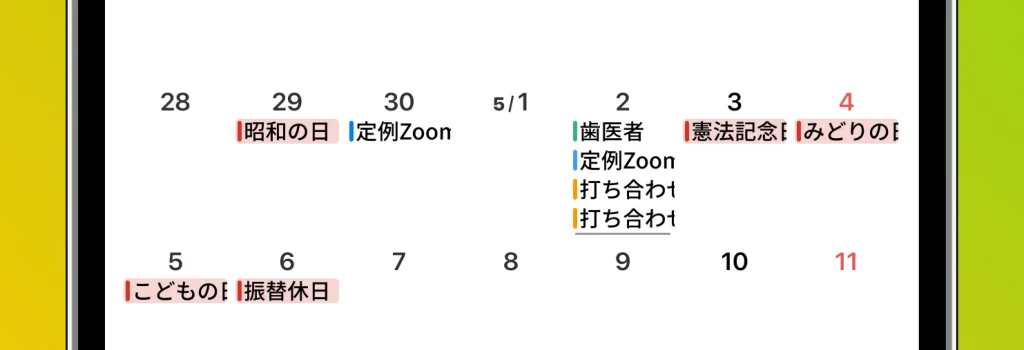
months is a vertical scroll calendar app, so it doesn’t have to fit an entire month onto a single screen. This means you can freely change the number of events shown within each day’s cell in the settings.
For example, you can customize the maximum number of events shown per day to 4, 6, and so on. The layout becomes taller vertically, but since you can scroll up and down, usability stays the same.
What’s more, if a day has more events than the limit you’ve set, an underline appears at the bottom of that day. This lets you see at a glance that there are hidden events, helping you avoid overlooking anything.