


Thank you, as always, for using “months.”
We’ve just released a new version, ver.1.7.0. The highlight this time is a months-original feature that lets you add “tags” to your events.
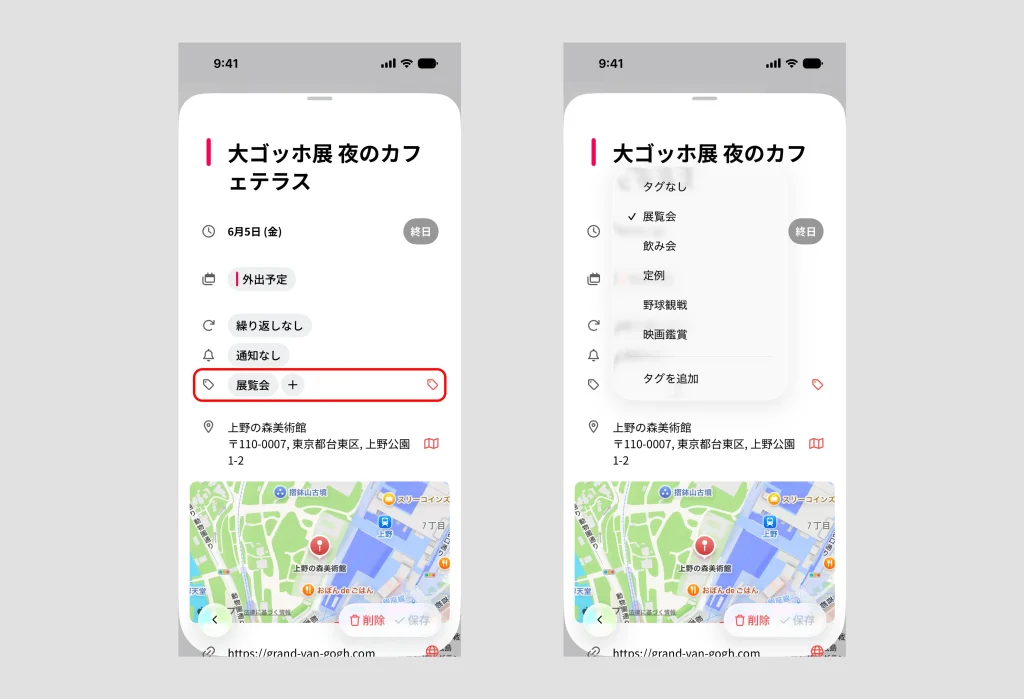
You can now add “tags” to your events
Art exhibitions, movies, concerts, sporting events—just add a tag like “Exhibition” or “Concert” to your favorite events. You can create tags freely, so you can categorize anything to fit your life.
Being able to tag the calendar events themselves is a feature unique to months.
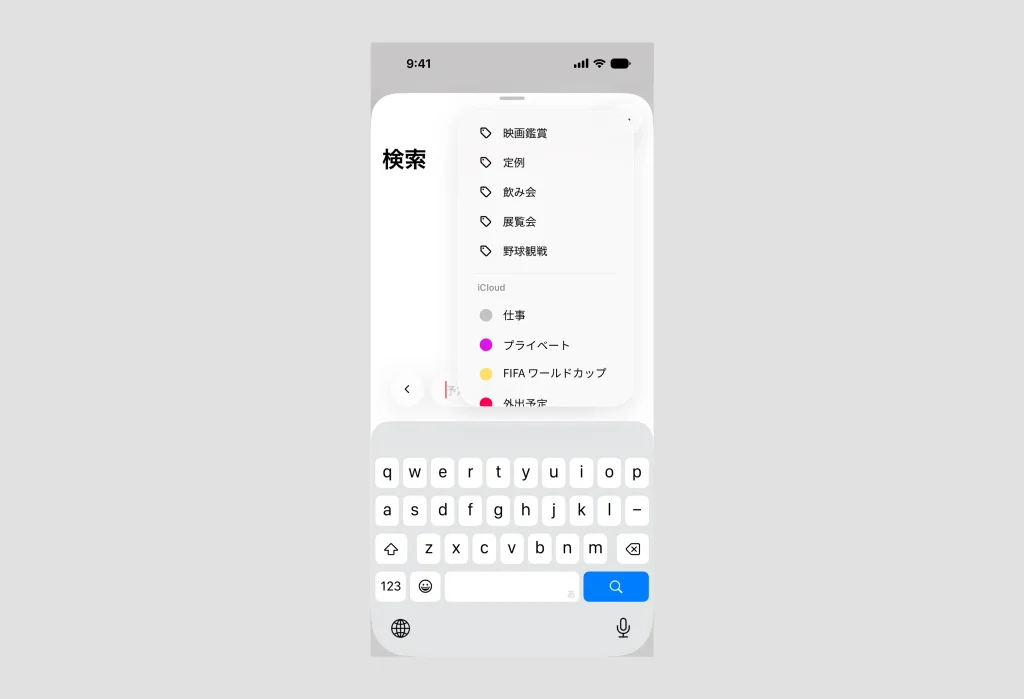
Instantly pull up your saved tags from the search page
The tags you’ve added are easy to call up from the search page. When you open the search screen, the tags you’ve created so far appear in a list, so you can find the tag you want with a single tap—no typing required. Whenever you think, “I’d love to revisit the records from that theme,” you can get there in an instant.
Look back on your whole year, tag by tag
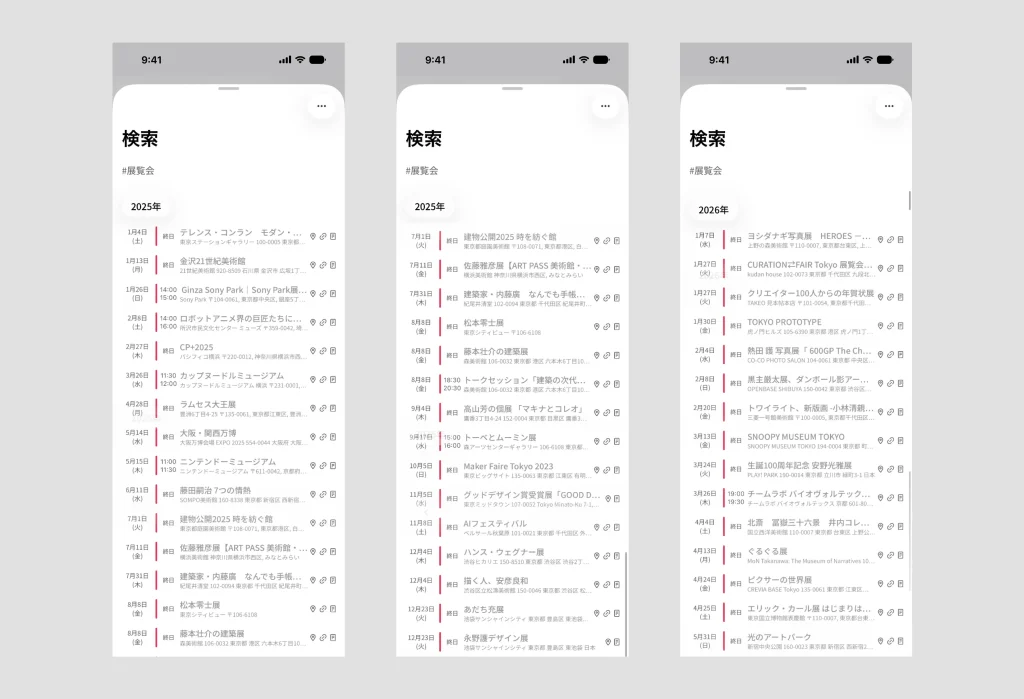
Once your events are tagged, all you have to do is search by that tag. Search for “#Exhibition” and every exhibition you visited that year lines up in chronological order. “How many concerts did I go to this year?”—that kind of look-back, too, at a single glance.
The way of looking back on the past with “search + pin,” which we introduced in this article, has become even more natural and even more fun now that tags have arrived. A calendar isn’t only a tool for planning the “future.” Looking back fondly on the days that have passed, theme by theme—that, too, is yours to enjoy with months.
See all your past records by theme, in one list
When you search by a tag, only the events carrying that tag line up in a date-ordered list. Apart from your usual calendar screen—where you scroll vertically through the month and the day—you can revisit just your past records, grouped by themes like “Exhibition” or “Concert.” That’s tag search.
The more your records build up across the years, the richer the look-back becomes: “How many times did I go this year?” “I used to go all the time back then.”
months will keep making your everyday life easier to see and more enjoyable.
Be sure to try ver.1.7.0. If you haven’t yet, you can use it free for one week.




