


Comfortable, no-bouncing-back-and-forth controls for checking your schedule, supporting you as you step into something new
The iPhone-exclusive calendar app “months” is running a “New Life Support Campaign,” offering the Premium Plan (annual) at half its usual price, for a limited time from March 1 (Sun) to March 31 (Tue), 2026, timed for the spring new-life season when life changes dramatically with school, new jobs, and moving.
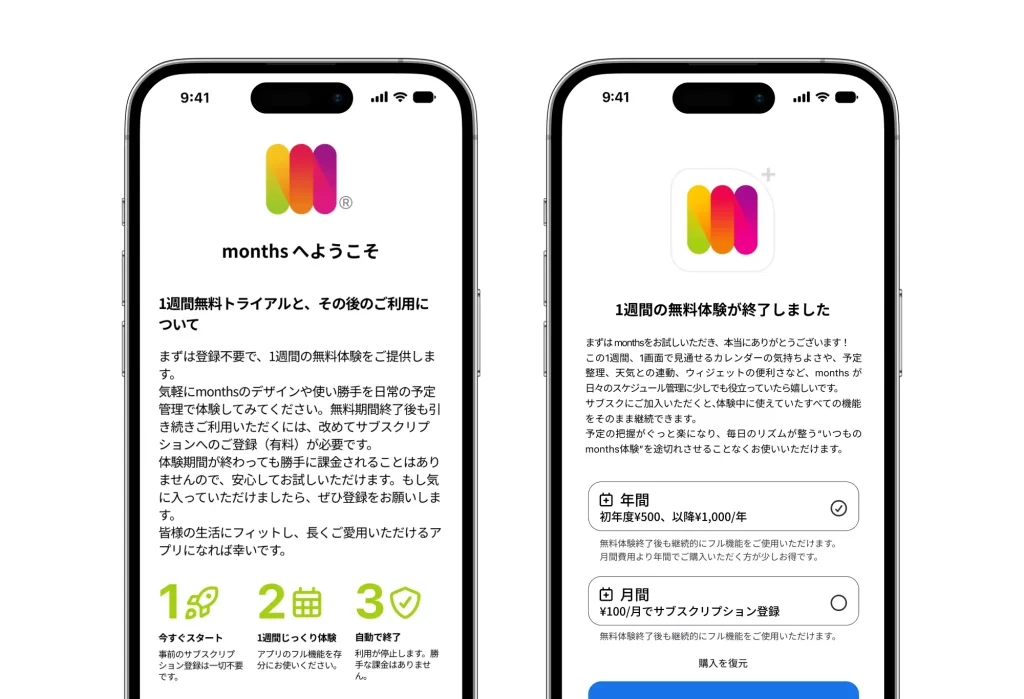
It’s a great deal: the regularly 1,000-yen annual plan is available for just [500 yen for the first year (about 41 yen per month)]. Start with a 1-week free trial, “no automatic billing.”

■ Screen transitions when checking your schedule are noise to your focus
The “new-life season” from March into April is the most schedule-packed time of the year, full of paperwork, welcome and farewell parties, and the start of new shifts.
Yet with a typical calendar app, tapping a date on the “monthly calendar” switches you to a “single-day detail screen,” making it easy to lose sight of the overall flow of the month or week. Bouncing back and forth between screens every time you check or adjust an event becomes a hidden source of stress during busy periods.
“months” brings these screen-transition headaches down to absolute zero. With a unique UI that lets you take in “the big picture of the month” and “the details of a single day” at the same time with just your thumb, we decided to run this half-price campaign to make managing your new-life schedule dramatically more comfortable.
■ Three reasons “months” is chosen for new beginnings
- [Zero screen transitions] Grasp “the flow of the month” and “the day’s details” at a glance, all at once
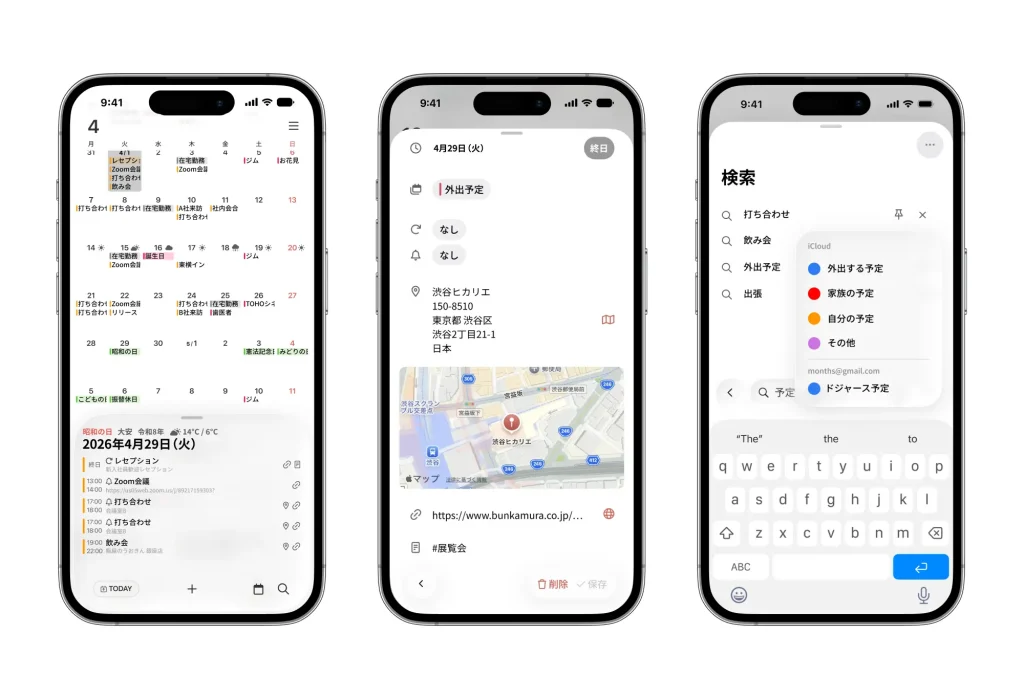
The greatest feature of months is its unique interface, which keeps a “calendar” at the top of the screen and a “single-day event palette” at the bottom at all times.
Tapping a date on the calendar doesn’t switch screens; instead, that day’s details smoothly surface in the palette below. Because you can keep grasping the flow of the month while checking the details of one date after another, even a packed new-life schedule is smooth to adjust. - [Slip-up prevention] “Pinned searches” and “three-stage notifications” that support your new-life routine
Those new-life check-ups like “When’s burnable-trash day again?” or “What’s my new part-time shift?” take just an instant with months. You can pin search results such as “#trash” or “#shift” directly onto your screen, sparing you from typing them out every time.
On top of that, a notification (alarm) feature that lets you set up to three reminders per event powerfully prevents those “oops, I forgot” moments in unfamiliar surroundings. - [Beautiful design] Makes you look forward to opening your phone
Spring is the season that makes you want to freshen up your phone’s home screen. months adopts a “Liquid Glass UI” with frosted-glass-like transparency and depth that harmonizes with the latest iOS.
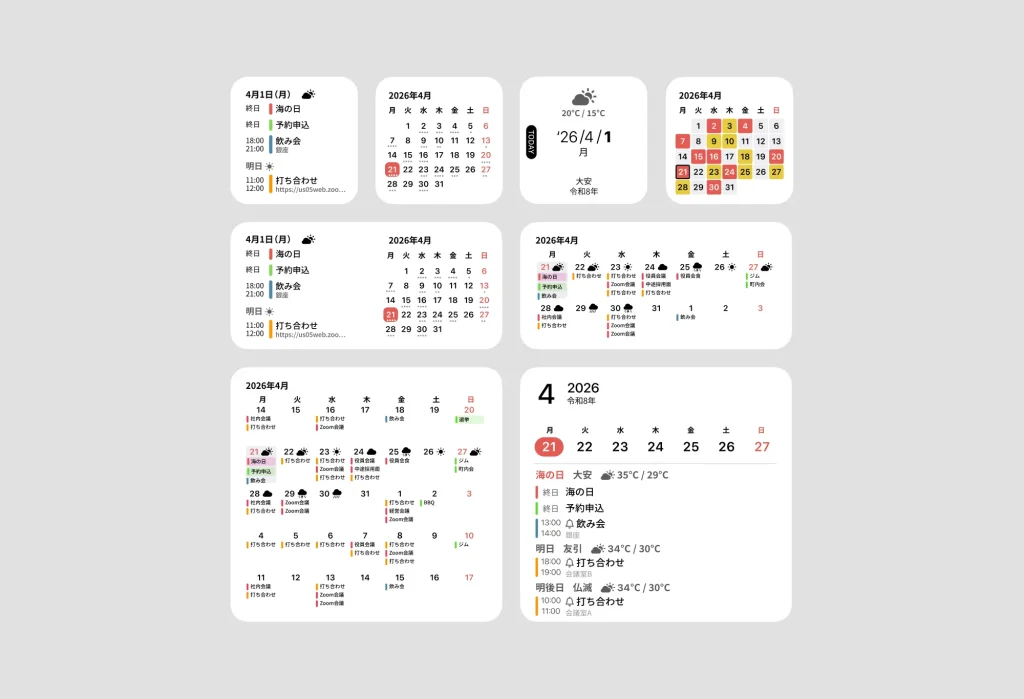
Place a widget on your home screen and you can check your timetable or today’s schedule in style without even opening the app. We pursue not just functionality but also the beauty of something you’ll see every day, like a piece of interior design.
■ “months” New Life Support Campaign Overview
- Period: March 1 (Sun) – March 31 (Tue), 2026
- Eligibility: Anyone who newly subscribes to the “annual plan” from within the app during the period
- Details: The Premium Plan (annual), normally 1,000 yen, is offered at a special first-year price of 500 yen (50% OFF).
- How to apply: Select “Premium Plan (annual)” from the settings screen in the app, and the campaign price is applied automatically.
*From the second year onward, it renews automatically at the regular price (1,000 yen/year).
■ App Overview
App name : months
Supported OS : iOS (iPhone only)
Download : https://apps.apple.com/us/app/id6739420415
Official site : https://months.jp
Press kit : https://months.jp/press/
Inquiries regarding this matter : info@months.jp




